Home
Products
Downloads
FAQs
Gallery
Shark Forum
In The News
Pricing
Company
Contact Us

Downloads

NOTE: To save files on this page click the right button of your mouse when over the file you want to download then select the "Save Target As..." option.

Vcarve, Aspire, Cut 3d and PhotoCarve Trial Downloads
 
Download Trial Software (Taken to Vectric Site)

Video Tutorials (For Vcarve, Aspire ,Cut 3d and PhotoCarve)


CNCShark Control Program - USB version XP, Vista and Windows 7 only


This version looks slightly different then the 1.0 version but operates the same.

Run this program first to add drivers for talking to controller
vcredist_x86.exe (Added 01/12/2009)

Run this program after running program above
CNCSharkBasicPanel-1.4.0.10 (Updated 8/23/2010)

This is the manual for the CNC Shark control program (XP, Vista and Windows 7). CNC_Shark_Instruction_Manual_Version_1_4.pdf (Added 08/13/2010)


Microsoft Patches


Needed for XP or Vista if .net 3.5 is not already installed

Click here to go to Microsoft site to download the
Microsoft .NET Framework 3.5 if you do not have this patch for XP or Vista you will not be able to install the controller.


CNC Shark VCarve Post Processor - USB version


NOTE: To save files on this page click the right button of your mouse when over the file you want to download then select the "Save Target As..." option.

This you need to put in a Vcarve folder so you can make the correct Gcode.

Save it to location

c:\Program Files\VCarve Pro 5.5\PostP\

The Vcarve folder name might be a bit different (Vcarve Pro 3.1  or  VCarvePro 5.5).

CNCShark-USB_Arcs_inch Vcarve Post Processor (Added 02/26/2009)


CNCShark-USB_GCode_inch_PVC PhotoCarve Post Processor (Added 01/12/2009)


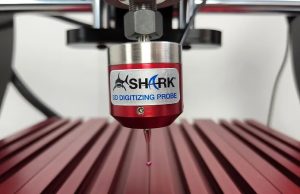
CNC Shark Digital Touch Probe Software


This program will work in a trial mode but will require a registration Key to become fully operational. Email your Name, Addresss, Phone as well as the Username on back of Vcarve Software
(Next Wave Automation- xxxx) at towens@nextwaveautomation.com for Register Key information.

For XP, Vista or Windows 7 users who already have loaded the CNC Shark Control panel just install this program.
Run this program after running program above
CNCSharkBasicPanel-1.4.0.10 Scan (Updated 08/23/2010)

If using XP or installing controller for the first time. Run this program first to add drivers for talking to controller

vcredist_x86.exe (Added 01/12/2009)

Manual for installing Digital Touch Probe hardware
ProbeInstallManual.pdf (Added 03/29/2010)

Manual for basic operation for new Scan page in CNC Shark Control Panel
ProbeOperationManual.pdf (Added 03/30/2010)


   Copyright 2003-2009   Next Wave Automation